

How To Reset Maint Reqd Toyota
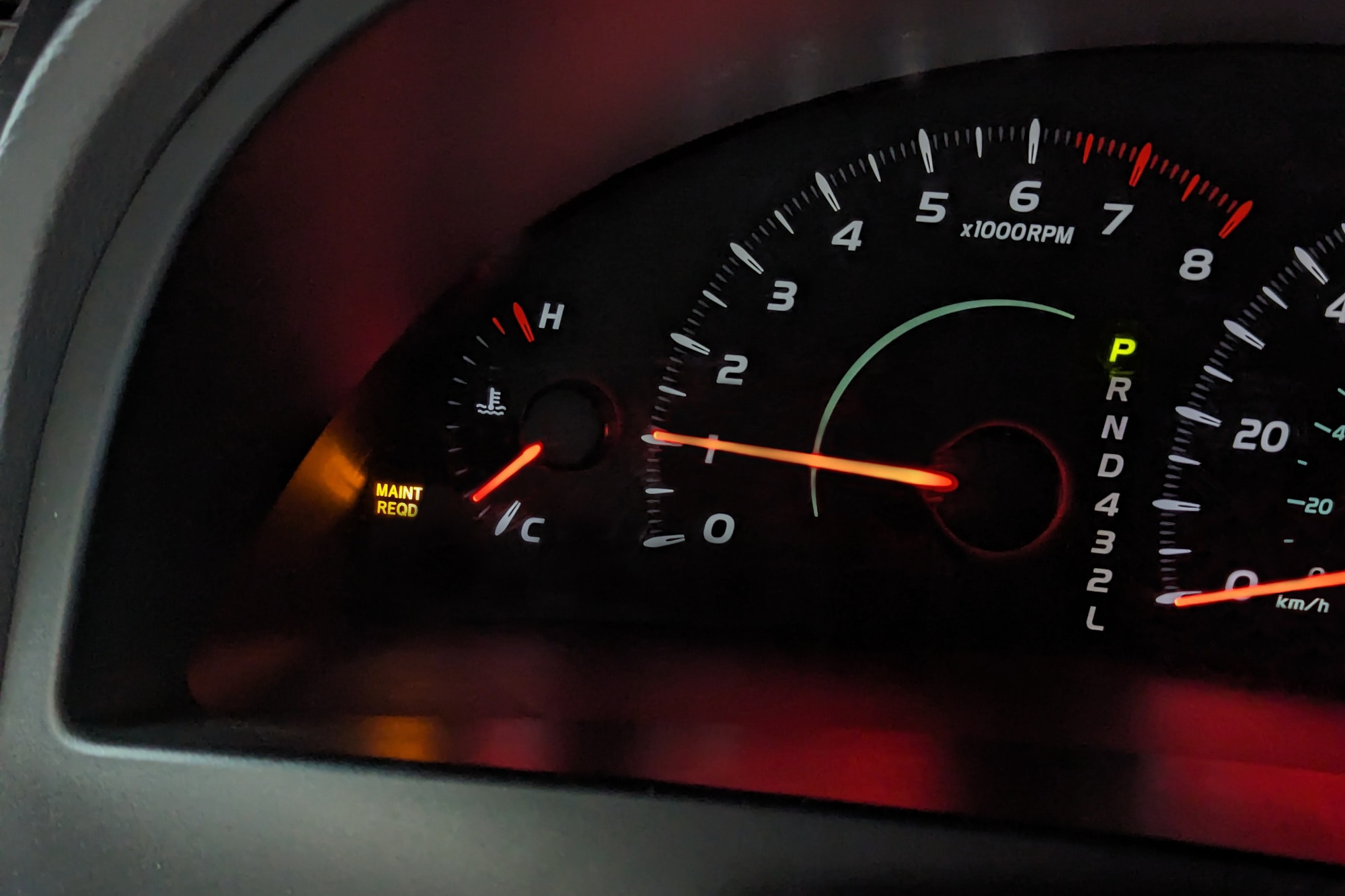
If you’ve seen the “Maint Reqd” light on your Toyota’s dashboard, you might be wondering what it means and how to turn it off. This little reminder is your car’s way of telling you it’s time for routine maintenance.
But don’t worry—resetting it is easier than you think. In this guide, you’ll learn simple steps to reset the “Maint Reqd” light yourself, saving you a trip to the mechanic and keeping your Toyota running smoothly. Keep reading, and you’ll have that dashboard looking clean in no time.

Credit: www.tvtoyota.com
Resetting Maint Reqd Light
The Maint Reqd light in a Toyota signals it is time for scheduled maintenance. Resetting this light after servicing keeps your car’s reminders accurate. Knowing how to reset it saves a trip to the mechanic. It also helps you track maintenance easily.
When To Reset The Light
Reset the Maint Reqd light only after changing the oil. Also reset after any scheduled maintenance. Do not reset before service is done. Resetting too early can cause missed maintenance. This light helps protect your engine and parts.
Tools Needed
No special tools are needed to reset the Maint Reqd light. You only need your Toyota’s ignition key. Some models require a simple button press. Others may need a small tool to press the reset button. Check your owner’s manual for details.

Credit: www.youtube.com
Step-by-step Reset Guide
Resetting the Maintenance Required light on your Toyota is simple. Follow this step-by-step guide to clear the alert. This guide works for most Toyota models made after 1996. Keep your vehicle ready and reset the light with ease.
Preparation Before Reset
Park your car in a safe place. Turn off the engine and remove the key. Check that the odometer shows the total mileage, not trip miles. You need the odometer reading for the reset. Make sure your hands are clean and dry.
Using The Odometer Button
Press and hold the odometer button. While holding it, turn the ignition key to the “On” position. Do not start the engine. Keep holding the button until the Maintenance Required light blinks and turns off. Release the button. The reset is complete.
Resetting Via Dashboard Controls
Some Toyota models use dashboard controls to reset the light. Turn the ignition to “On” without starting the engine. Use the arrow keys to find the “Settings” or “Vehicle Settings” menu. Scroll to “Maintenance” or “Oil Reset.” Select the reset option and confirm. The Maintenance Required light will turn off.
Alternative Reset Methods
Resetting the “Maint Reqd” light on a Toyota can be done in different ways. Some methods need tools, and others use just your car’s controls. These alternatives help if the usual reset steps don’t work. They also give you options based on your comfort level and equipment. Explore these simple and effective ways to clear the maintenance alert.
Using An Obd-ii Scanner
An OBD-II scanner connects to your Toyota’s diagnostic port. This tool reads and clears error codes, including the maintenance light. Plug the scanner in, turn on the ignition, and follow the scanner’s menu. Select “Clear Codes” or “Reset Maintenance Light.” The tool quickly resets the system and turns off the warning.
This method is fast and precise. It also helps find other issues in your vehicle. Owning a scanner saves trips to the mechanic for simple resets. Many scanners are affordable and easy to use.
Reset With Key Sequence
This method uses your car’s ignition and dashboard controls. Start by turning the key to the “On” position without starting the engine. Press and hold the trip meter reset button. While holding it, turn the key off and then back on. Keep holding the button until the light blinks and goes off.
This sequence works for many Toyota models. It requires no tools and takes only a few seconds. A quick way to reset if you don’t have a scanner. Practice this step to keep your maintenance light under control.
Common Issues And Solutions
Resetting the Maintenance Required light on a Toyota can sometimes bring unexpected issues. These problems can confuse many car owners. Knowing common problems and their fixes helps maintain your vehicle smoothly.
Some drivers find the light stays on after reset. Others notice the maintenance reminder does not appear at all. Each issue has simple reasons and easy solutions.
Light Stays On After Reset
The light may stay on due to an incomplete reset. Check if you followed the correct reset steps. Sometimes, the ignition must be in the “On” position without starting the engine.
Battery issues can also cause the light to stay on. A weak or disconnected battery can reset the system incorrectly. Make sure the battery is fully charged and connected well.
In rare cases, a sensor or computer error causes the light to remain. A visit to a Toyota service center can help diagnose the problem. They may use a scan tool to clear any faults.
Maintenance Reminder Not Appearing
The maintenance reminder may not show if the system was reset improperly. Double-check the reset method for your Toyota model. Different models have slight variations in the reset process.
Another cause is a faulty maintenance light bulb. If the bulb is burned out, the reminder will not light up. A mechanic can replace the bulb quickly.
Software glitches in the car’s computer can block the reminder. Updating the vehicle’s software or resetting the system again might fix this issue.
Maintaining Your Toyota
Maintaining your Toyota is important for its performance and safety. Regular care keeps the car running smoothly. It also helps avoid big repair costs. Simple steps can extend your car’s life.
Knowing when to service your Toyota helps keep it reliable. The maintenance required light reminds you to check your vehicle. Resetting this light after service is easy. Understanding regular service intervals and benefits helps you care for your car better.
Regular Service Intervals
Toyota cars have recommended service intervals. These are usually every 5,000 to 10,000 miles. Check your owner’s manual for exact details. Services often include oil changes, filter replacements, and inspections. Sticking to these intervals keeps the engine healthy. It also maintains fuel efficiency. Ignoring service intervals can cause parts to wear out fast.
Benefits Of Timely Maintenance
Timely maintenance improves car safety and performance. It prevents unexpected breakdowns on the road. Changing oil and filters keeps the engine clean. Checking brakes and tires ensures safe driving. Regular care saves money by avoiding major repairs. It also helps keep your car’s value high. A well-maintained Toyota runs better and lasts longer.
Credit: www.capitalone.com
Frequently Asked Questions
How Do I Reset The Maint Reqd Light On My Toyota?
To reset the Maint Reqd light, turn the ignition to “ON” without starting. Press and hold the trip meter reset button until the light blinks and turns off. Release the button, and the indicator should reset.
When Should I Reset The Maint Reqd Light In Toyota?
Reset the Maint Reqd light after completing scheduled maintenance, such as oil changes. This keeps your Toyota’s maintenance system accurate and ensures timely reminders.
Can I Reset Maint Reqd Light Without A Scanner?
Yes, you can reset the Maint Reqd light manually using the trip meter button. No special scanner or tool is needed for most Toyota models.
What Causes The Maint Reqd Light To Turn On?
The Maint Reqd light turns on to signal scheduled maintenance is due. It activates based on mileage intervals, typically 5,000 miles or 8,000 kilometers.
Conclusion
Resetting the Maint Reqd light on your Toyota helps keep your car in good shape. Follow the simple steps carefully to clear the warning. This process saves time and avoids confusion at the mechanic. Remember to reset the light after every oil change.
Regular maintenance keeps your engine running smoothly and extends its life. Stay on top of your car’s needs for safe driving. Easy to do, this reset helps you stay informed about vehicle care. Keep your Toyota healthy with small, simple actions like this.


