

How To Reset 2011 Toyota Highlander Oil Light
Your 2011 Toyota Highlander’s oil light just came on, and you’re wondering what to do next. Ignoring that little warning can lead to bigger problems, but resetting it isn’t as hard as you might think.
In this guide, you’ll learn the simple steps to reset your oil light quickly and safely. Keep reading to save time, avoid costly repairs, and keep your Highlander running smoothly.
Locate The Oil Light Reset Button
Finding the oil light reset button is the first step to reset the oil light on a 2011 Toyota Highlander. This button helps clear the oil change reminder after maintenance. Knowing its location saves time and makes the reset process easy.
The oil light reset button is not a separate button. It is part of the trip meter or odometer controls. Usually, it looks like a small knob or stick near the dashboard display.
Check Near The Steering Wheel
Look around the steering wheel area. The reset button is often on the dashboard close to the steering column. It might be on the left or right side, within easy reach.
Inspect The Instrument Cluster
The instrument cluster is the panel behind the steering wheel showing speed and fuel. The reset button is often part of this cluster. It may be a small, round knob that you can press or twist.
Look For The Trip Meter Button
Most Toyota Highlanders use the trip meter button for oil light reset. It controls the trip odometer and resets service lights. Pressing and holding this button can reset the oil light.
Consult The Owner’s Manual
The owner’s manual provides exact details about the reset button location. It shows pictures and instructions. This guide helps find the button quickly without guesswork.

Credit: www.tvtoyota.com
Turn The Ignition To On
Turning the ignition to the On position is the first step to reset the oil light on your 2011 Toyota Highlander. This step powers the vehicle’s electrical system without starting the engine. It allows the dashboard to light up and the system to prepare for the reset process.
Make sure the key is in the ignition slot. Then, turn it to the On position. Do not start the engine yet. The oil light will remain on, showing the system is ready for the next step.
Locate The Ignition Switch
The ignition switch is usually on the right side of the steering column. It controls the power to your vehicle’s electrical parts. Find it and get ready to turn the key.
Turn The Key To The On Position
Insert the key and turn it clockwise until the dashboard lights come on. This is the On position. The engine should stay off. Your oil light will stay lit.
Check The Dashboard Lights
Look at the dashboard. The oil light will be on. Other warning lights may also light up briefly. This means the system is active and ready for the reset.
Press And Hold The Reset Button
Press and hold the reset button on the dashboard to clear the oil light. Keep it pressed until the light blinks and turns off. This resets the oil maintenance reminder on a 2011 Toyota Highlander.
Locate The Reset Button
Start by finding the reset button on your dashboard. It is usually near the odometer or speedometer. The button looks small and may be labeled “Reset.”
Pressing this button resets the oil light after an oil change. Make sure the car is off before you start.
Turn The Ignition On
Next, turn the key to the “On” position. Do not start the engine. This powers the dashboard lights and systems.
The oil light should be on at this point. It shows the system is ready for reset.
Press and hold the reset button firmly. Keep holding it for about 10 seconds. The oil light will start blinking.
Once it stops blinking and goes off, release the button. This means the oil light has reset.
Check The Oil Light
Turn off the ignition. Then turn it back on to check the oil light. The light should stay off.
If it stays on, repeat the process. The reset may not have worked the first time.

Credit: bid.cars
Wait For The Oil Light To Blink
Waiting for the oil light to blink is a key step in resetting the oil light on a 2011 Toyota Highlander. This process signals the car’s system that the reset command has started. The blinking oil light shows the vehicle is ready to accept the reset.
Do not rush this step. The light must blink clearly for the reset to work properly. This ensures the oil change indicator resets without issues.
Turn The Ignition To “on” Position
Start by turning the key to the “ON” position. Do not start the engine. The dashboard lights, including the oil light, will turn on. This prepares the system for the reset.
Observe The Oil Light Closely
Look at the oil light on the dashboard. It will stay on for a few seconds. Then, it should begin to blink. This blinking means the system is ready for the reset process.
Wait Until The Oil Light Blinks Several Times
Count the blinks carefully. The oil light usually blinks about five times. After blinking, it will turn off. This confirms the reset command is accepted.
Complete The Reset By Turning Off The Ignition
Once the oil light stops blinking, turn the ignition off. This step saves the reset in the car’s computer. Your oil light should now be reset and ready for the next oil change.
Release The Reset Button
The step to release the reset button is important to clear the oil light on your 2011 Toyota Highlander. This action tells the car’s computer that you have changed the oil. It helps the oil light turn off and stay off until the next oil change is due.
Be gentle when handling the reset button. Pressing or releasing it at the right time is key. This ensures the system properly resets and avoids any errors.
Locate And Press The Reset Button
Find the reset button on the dashboard or near the speedometer. Press and hold it firmly. Keep it pressed until the oil light starts blinking or goes off. This usually takes about 10 seconds.
Release The Reset Button At The Right Moment
After holding the button, let it go carefully. The light should stop blinking and disappear. This confirms the reset process is complete. Do not rush this step to avoid mistakes.
Check The Oil Light Status
Turn the ignition off, then start the car again. Look at the oil light. It should be off now. If the light stays on, repeat the reset process. This ensures the oil light resets correctly.
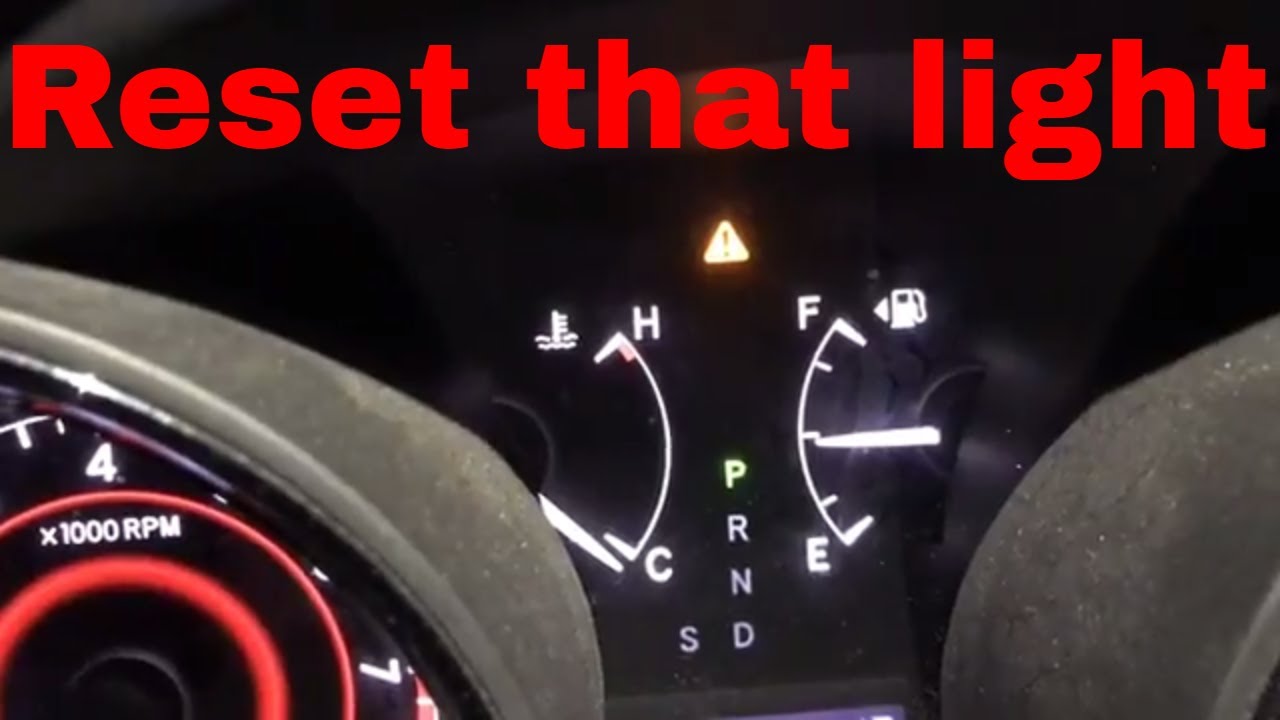
Credit: www.youtube.com
Confirm The Oil Light Is Off
Start by checking the dashboard to see if the oil light is off. This confirms the reset worked. A clear oil light means the system is ready to track your next oil change.
Check The Dashboard For The Oil Light
After resetting the oil light, turn the ignition to the ON position. Do not start the engine yet. Look carefully at the dashboard. The oil light should be off now. If the light stays on, the reset did not work. Repeat the reset process or check the oil level.
Start The Engine And Observe The Light
Start the engine and watch the oil light closely. It should turn off within a few seconds. A steady oil light means a possible problem. A blinking light could signal a sensor issue. In both cases, check the oil level and condition. Visit a mechanic if the light remains on.
Drive And Monitor The Oil Light
Drive the car for a short distance. Keep an eye on the oil light during the drive. The light must stay off. If it turns on, stop and check the oil. The reset only works if oil levels are correct. Regular oil checks prevent engine damage.
Troubleshooting Common Issues
Troubleshooting common issues with the oil light on a 2011 Toyota Highlander helps avoid bigger problems. The oil light tells you about the engine’s oil level or pressure. Sometimes, the light stays on even after an oil change or reset. This section explains what to do when you face such troubles. Follow these simple tips to keep your vehicle safe and running well.
Oil Light Still On
The oil light may stay on after resetting. This could mean the oil level is low or the oil sensor is faulty. Check the oil level using the dipstick. Add oil if it is low. If the level is fine, the sensor might need replacement. Driving with the oil light on can harm the engine. Get the vehicle inspected if the light does not go off.
Reset Button Not Responding
The reset button may not work due to a dead battery or electrical issue. Make sure the car battery is charged. Sometimes, the reset button needs a specific sequence to work. Turn the ignition on without starting the engine. Press and hold the reset button until the light blinks or turns off. If it still does not respond, check the fuse box or visit a mechanic.
Multiple Warning Lights
Seeing several warning lights together can confuse any driver. This may indicate a bigger electrical or sensor problem. The oil light with other warnings suggests a system fault. Avoid driving until the issue is diagnosed. Use an OBD-II scanner to read error codes. These codes point to the exact problem. Fixing the root cause stops the warning lights from coming back.
Tips For Maintaining Oil Light System
Maintaining the oil light system in your 2011 Toyota Highlander helps keep your engine healthy. This system alerts you about oil issues early. Follow simple steps to avoid problems and keep the light working properly.
Proper care of the oil light system saves money on repairs. It also improves your vehicle’s performance and safety.
Regular Oil Changes
Change the oil at the intervals suggested in your owner’s manual. Old oil can cause the light to turn on. Fresh oil keeps the engine clean and running smoothly. Regular oil changes reduce wear and tear on engine parts.
Check Oil Level Frequently
Check the oil level every few weeks or before long trips. Use the dipstick to see if oil is low. Low oil causes engine damage and triggers the oil light. Adding oil early prevents costly repairs and keeps the light off.
Use Recommended Oil Type
Use the oil grade recommended by Toyota for your Highlander. The right oil protects engine parts and maintains pressure. Wrong oil can cause the sensor to give false alerts. Stick to the recommended type to keep the system accurate.
Frequently Asked Questions
How Do I Reset The Oil Light On A 2011 Toyota Highlander?
To reset the oil light, turn the ignition to ON without starting the engine. Press the odometer button until the display shows the oil reset screen. Hold the button until the light blinks and turns off, indicating the reset is complete.
When Should I Reset The Oil Light On My Highlander?
Reset the oil light after an oil change or maintenance service. This ensures accurate monitoring of oil life and alerts you when the next change is due. Never ignore the oil light to maintain engine health.
Can I Reset The Oil Light Without A Mechanic?
Yes, you can reset the oil light yourself. Follow the manual reset procedure using the odometer button and ignition switch. It’s simple, quick, and saves time and service costs.
What Causes The Oil Light To Turn On In A Highlander?
The oil light turns on due to low oil level, oil pressure issues, or overdue oil changes. It signals you to check and maintain proper oil conditions to avoid engine damage.
Conclusion
Resetting the oil light on a 2011 Toyota Highlander is simple and quick. Follow the steps carefully to avoid confusion. This helps keep your vehicle in good condition. Regular maintenance saves money and prevents problems. Stay on top of your car’s needs with easy resets.
A clear oil light means your car is ready to go. Keep driving safely and enjoy your Highlander’s smooth ride.


